Categories
Clipboard Import (Excel Import)
Clipboard Import
> This function allows users to import the data without manually key in by simply copy and paste from the Excel file.
Steps: (For Excel Part)
1. Login to SQL Accounting > File > Import > Select the document type you want to import > Get Template
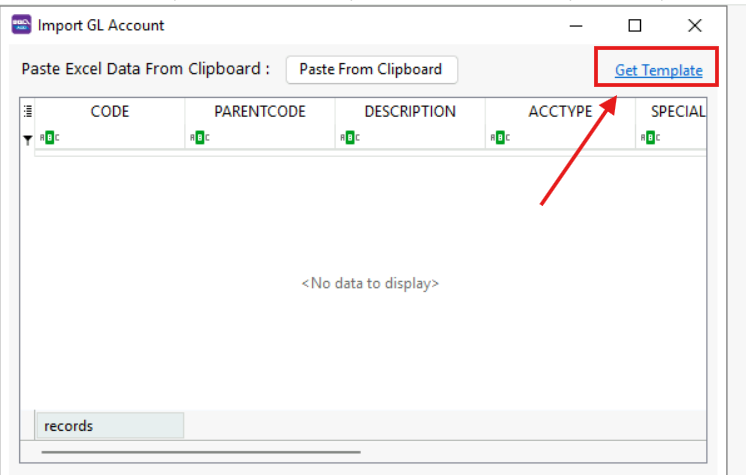
2. In Excel, there are few things needed to take note:
- Tabs at bottom (Green color) - refer to which table it should be imported into ( Customer & Supplier, Stock Group, Stock Item)
- First Row of column (Yellow color) - field name and number inside bracket refer to field size
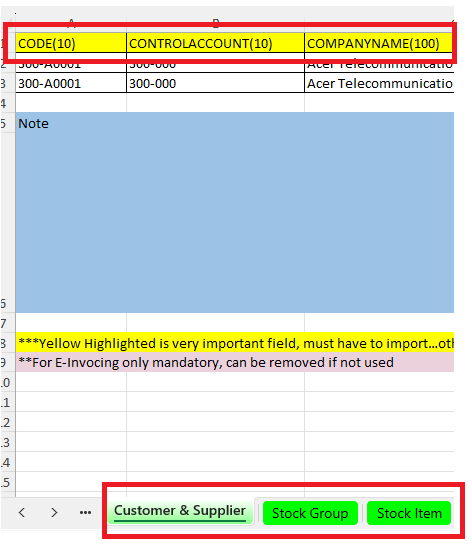
3. Key in all the data to the relevant column/field
(For SQL Operation)
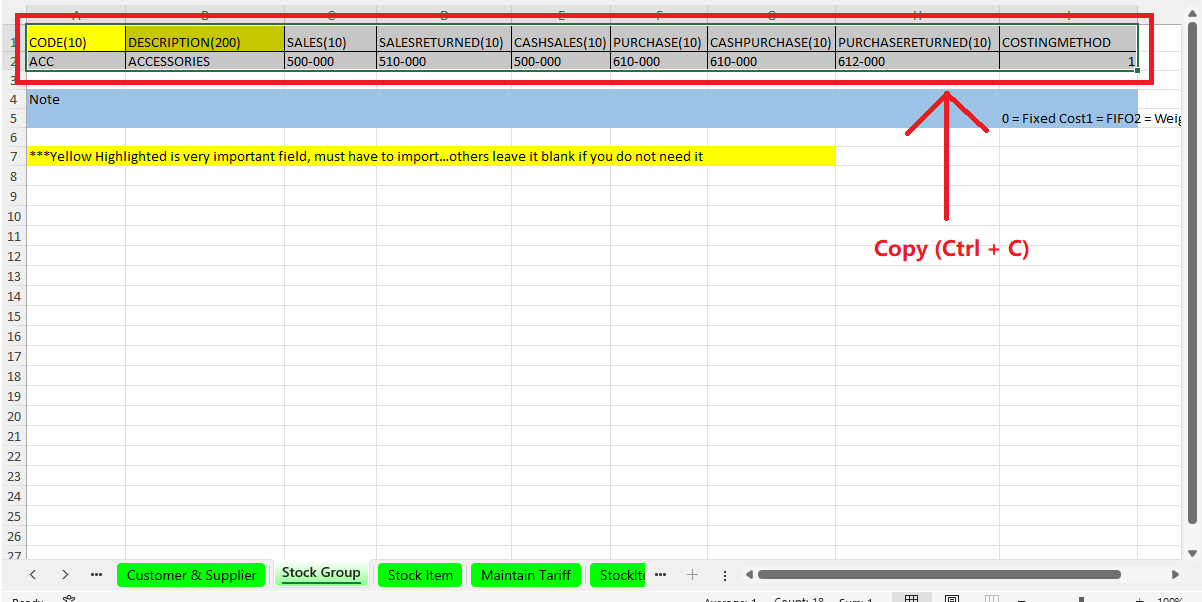
1. Select and Copy the table in Excel, including with field name
2. Go to SQL Accounting > File > Import > Clipboard Excel Import > select the field that you want to import (Customer, Supplier, Stock Group, Stock Item)
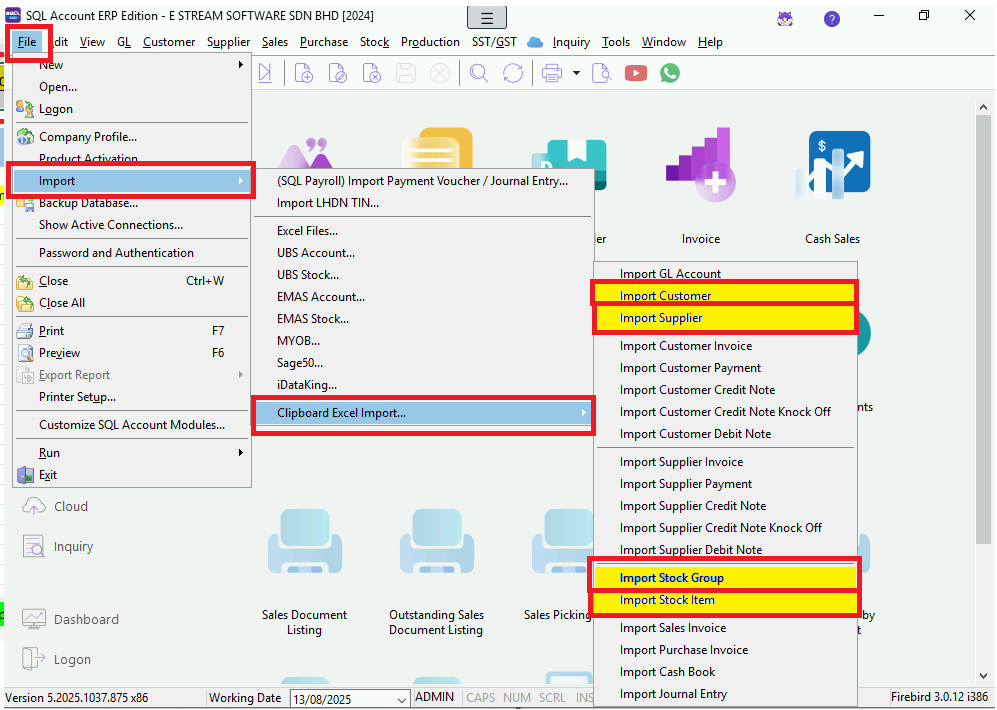
3.
Click Paste from Clipboard (paste the copied Excel table) > Validate the imported data
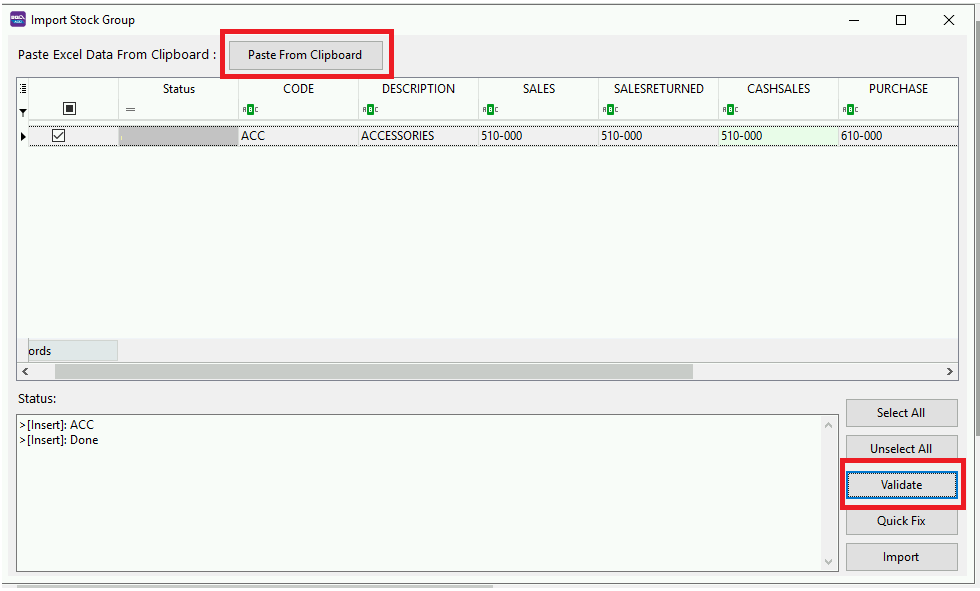
4. Status:
4.1 After validated, the status will show New (means no error), then Import

4.2 If the status shows Error, we need to Edit the grid > click Select All > Validate again > Import

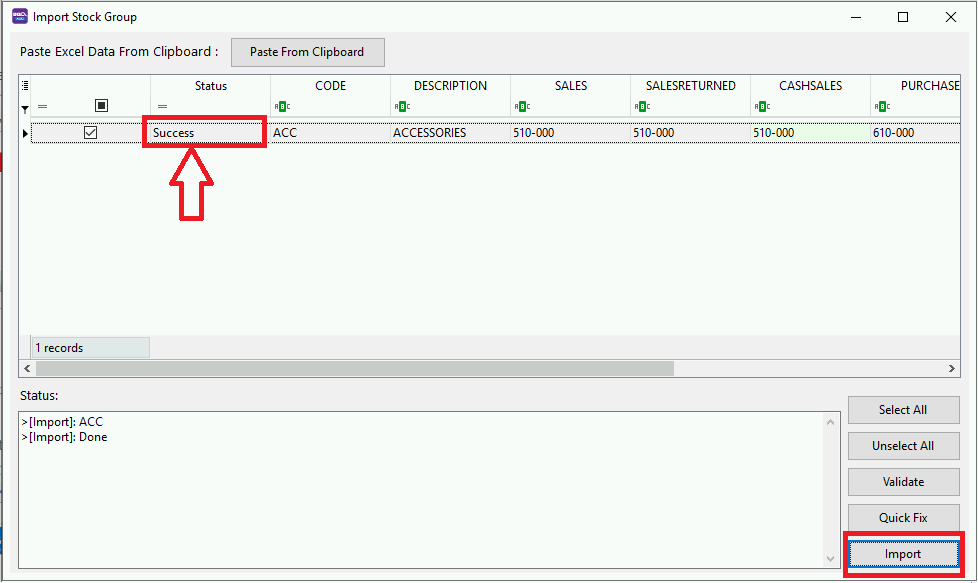
5. Once Validation done, click Import > status will show Success
# Additional info - Maintain Master Data
> maintain all necessary tables to avoid Error
> Exp: when importing Invoices with agent field, must set up the entries in Maintain Agent first
Tools > Maintain …
