Categories
SQL POS E-INVOICE
SQL POS E-Invoice
# Minimum SQL Accounting version required : 861
Steps:
# For Sandbox Linking
1. Login SQL POS | click Setting | select System | tick 'Yes' on E-invoice Module | click 'Setting' beside the option 'Yes'

2. tick 'Can Submit E-invoice' and 'Can Submit Consolidate E-invoice' | complete all the company info
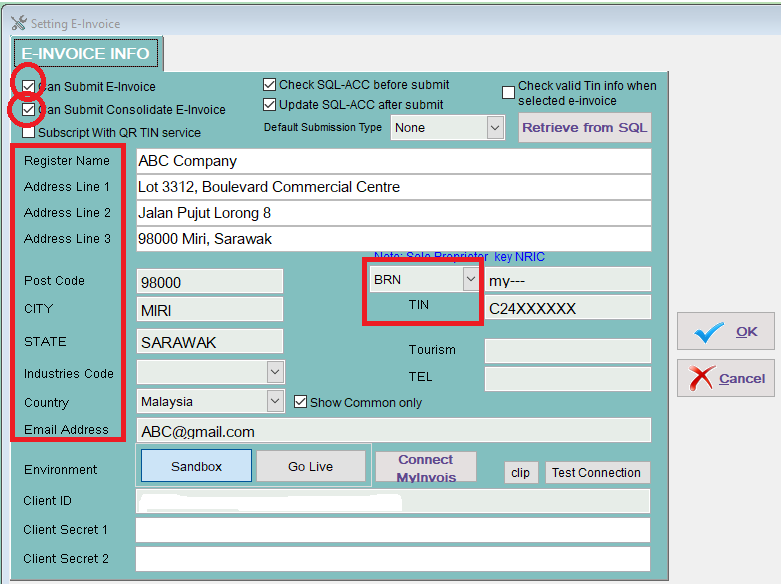
3. click Sandbox | Connect MyInvois

4. Login to Prepod Mytax Portal

5. click prepod

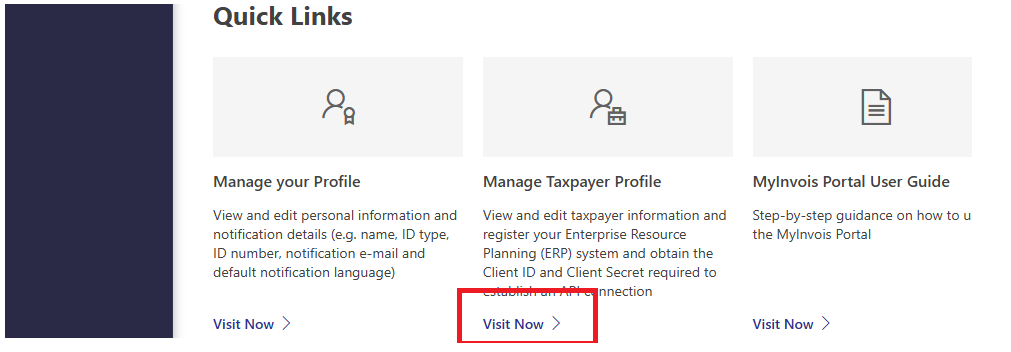
6. select Manage Taxpayer Profile
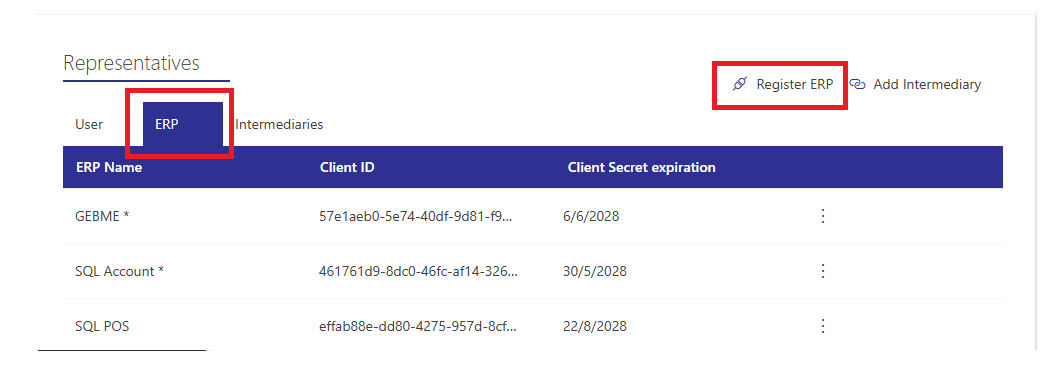
7. Register ERP
8. Copy the client ID, client secret 1 and client secret 2
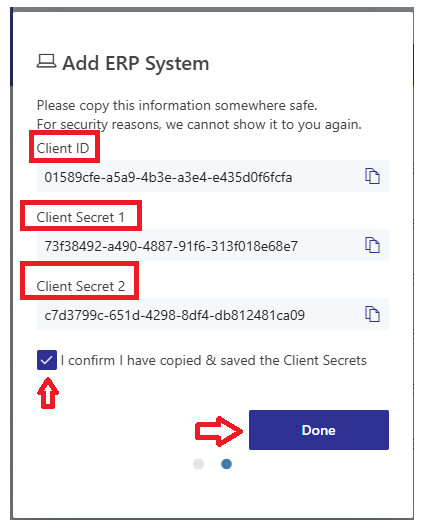
9. Paste to the column at the bottom | then OK

10. click Print Receipt | click Company Info

11. complete the Customer Info | select 'Submit E-inv' either E-invoice or Consolidate | OK

12. click E-invoice | select the date range | tick the document that required to submit as E-invoice | click Submit E-invoice or Consolidate E-invoice (depend on the condition)

13. Otherwise, we can edit Company Info (client info) and submit E-Invoice after payment done
