Categories
BACKUP DATABASE
In any situation, it is always useful to have a backup copy of your work. Regularly backing up your SQL Account data is beneficial for several reasons:
Faster data recovery in emergency situations
Ability to perform cross checking and comparisons with past data
Protection against ransomware attacks and cyber crimes
Easy and secure sharing of data within the company
1. Go to File > Backup Database

2. Click on the "+" icon | select "Add Local Storage"
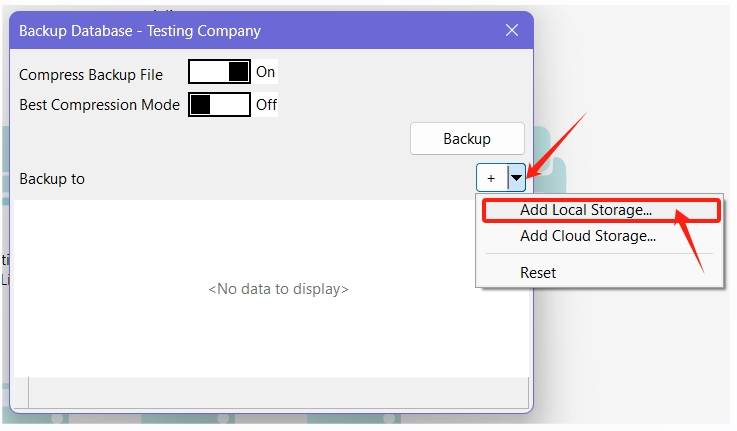
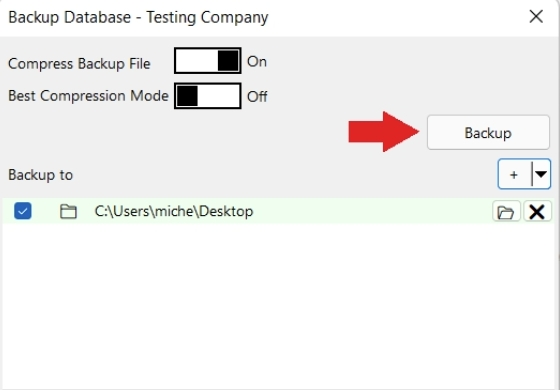
3. Choose where you want to save your backup file

4.
Click Backup
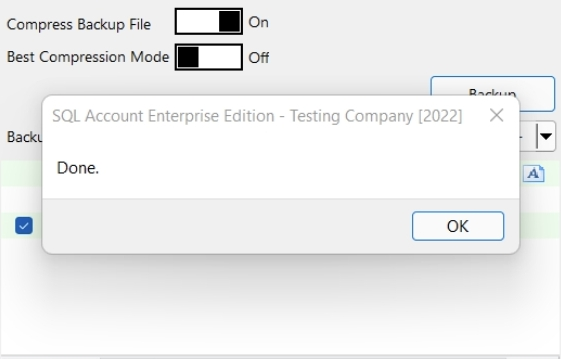
5. Once the backup is completed, "Done" will be displayed. Press OK
Video Guide : https://youtu.be/B6MvaUReCOs