Categories
AI EasyScan
AI EasyScan
This function enables users to manage transactions more efficiently by uploading invoices, bills through WhatsApp. It performs instant data entry using AI-powered auto extraction, which supports images, documents and text.
Pre-requisite:
A. Setup OCR Category
B. Setup User Mobile Number
C. Registration
A. SETUP OCR CATEGORY
1. Go to Menu Bar > Tools > Options...
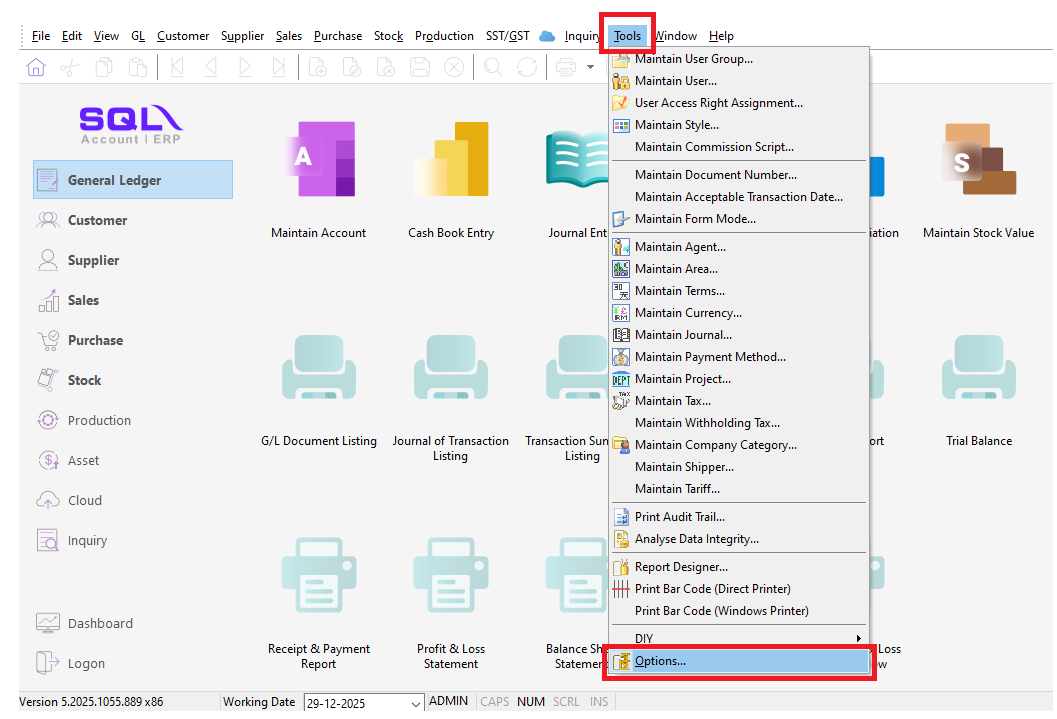
2. Select OCR > switch Account Code to following Category

B. SETUP USER MOBILE NUMBER
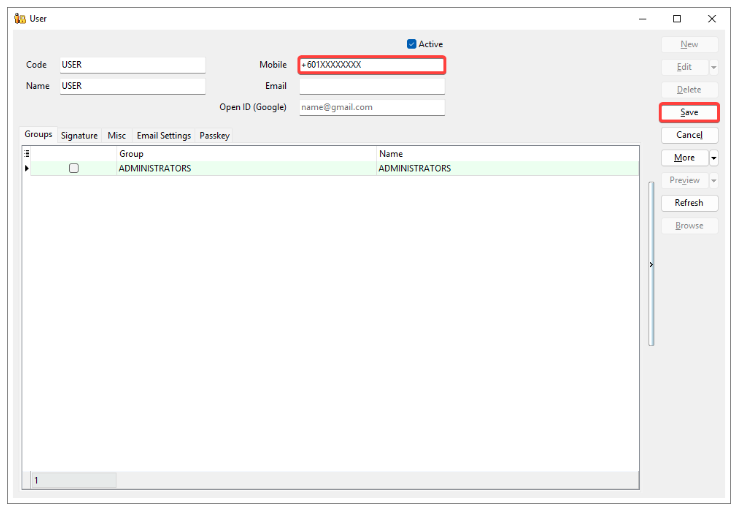
1. Go to Menu > Tools > Maintain User....
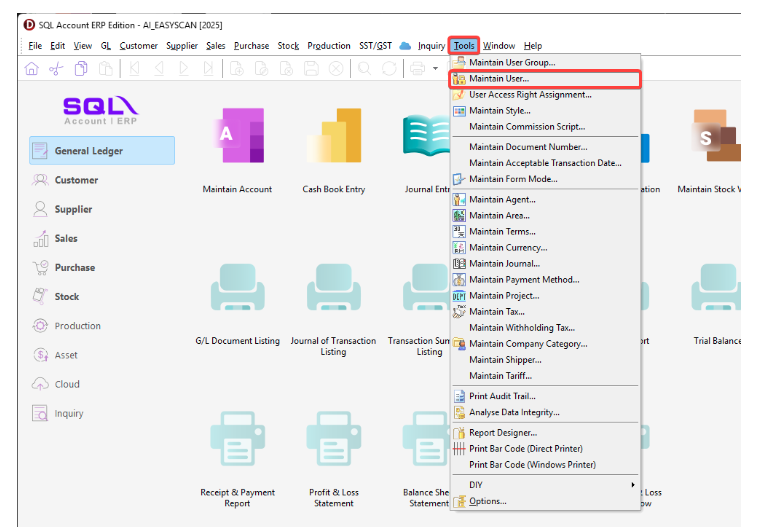
2.
Create New / Select the user who request for register
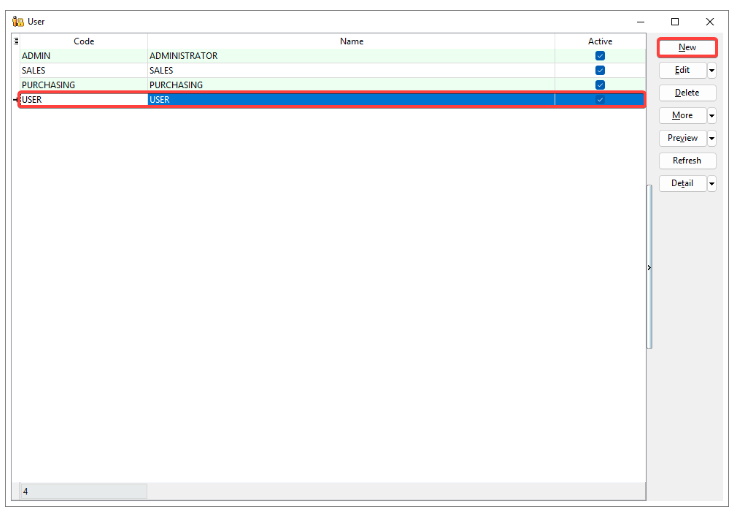
3. Enter mobile number registered with WhatsApp > Save
C. REGISTRATION
1. Go Menu > [cloud] > AI EasyScan....

2. Go to Toolbar > [stickman icon] > Register Sender.....

3. Select the user who request for register > OK

4. Click 'Copy Link To Clipboard' / 'Share' registration link to the user

5. The user will have 5 minutes to complete the registration before it expires.

6. After received the registration link, the user is required to:
i. Click the link

ii. Send the prefilled message with the mobile number registered.
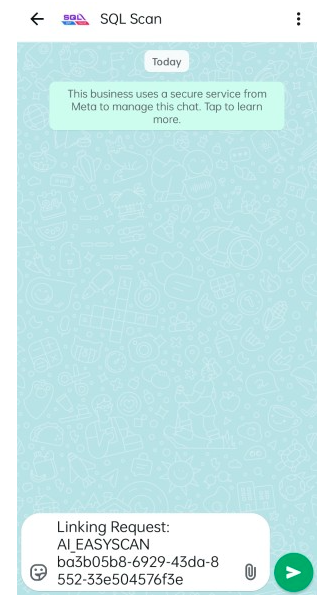
iii. WhatsApp will reply: 'You have successfully linked with [COMPANY NAME]', means the registration is completed.

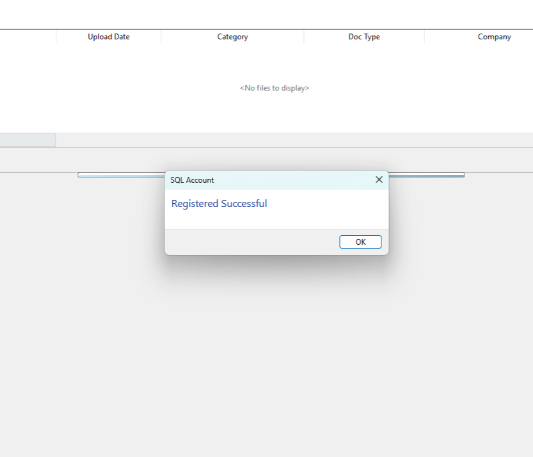
7. Dialog show Registered Successful indicates the user complete the registration.