Categories
STOCK - 1. To Create Supplier Code
To Create Supplier Code:
1-Go to [Supplier] under Master Setup. Click on
it.
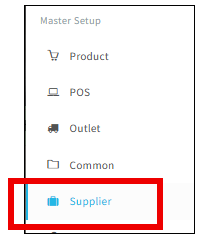
2-Then Choose [Supplier].

3-
This is the Supplier listing. To create new
supplier code, click on the [Paper] icon at the top right.

4-Then this page will show.

a- Insert [Supplier Code] and [Supplier Name].
b- Status choose as [Verified].
c- Key in [Company Registration No.], if they don’t have, just put a dot [.] to proceed.
d-
Insert [Currency Code].
e- Others are optional to key in, if needed.
5-After key in the details, click on the [Save] button at the top right corner to Save.